
Working from home sounds comfortable until your dining chair becomes your office chair, your sofa becomes your desk, and your laptop spends eight hours balanced somewhere around knee height.
Not everyone has the space, budget, or need for a dedicated home office. Many remote workers use dining tables, kitchen counters, sofas, bedroom desks, or whatever furniture is already available. The good news is that WFH without an office chair does not automatically mean you have to accept an uncomfortable working day.
A few practical changes can make an ordinary chair or temporary workspace much easier to use. The important part is understanding what your current setup is missing rather than buying random ergonomic accessories and hoping they fix the problem.
This guide looks at realistic work from home chair alternatives, how to create a more ergonomic work from home setup, what to watch for when working from a sofa, and how small changes can improve long periods of sitting.
Why Working From Home Feels Different From Working in an Office
A proper office usually gives you several things without you thinking about them: a desk at a usable height, an adjustable chair, enough space for your legs, a screen positioned in front of you, and a relatively stable place to work.
At home, furniture was usually designed for something else.
A dining chair was built for meals, not an eight-hour workday. A sofa is designed for relaxing, which often means a deep seat and soft backrest. A coffee table is intentionally low. Even a bedroom desk may have been chosen for its size rather than its ability to support full-time computer work.
This is why discomfort can appear even when the furniture initially feels comfortable.
The issue is often not one dramatic problem. It is several small compromises repeated for hours.
Start With the Chair You Already Have
Before replacing furniture, look at your existing chair.
Sit all the way back and check whether your feet reach the floor comfortably. Your thighs should feel supported without excessive pressure behind the knees, and your shoulders should not need to lift when your hands are on the keyboard.
If your feet hang slightly above the floor, use a stable footrest, box, or similar support.
If the chair is very hard, additional seat support may help. If it is extremely deep, a cushion behind your back can reduce the effective seat depth.
The idea is to modify the furniture around your body rather than forcing your body to adapt to furniture that was never intended for computer work.
Practical Work From Home Chair Alternatives
There is no single chair that works for every home, and a dedicated ergonomic office chair may not be realistic for everyone.
Several common household options can work reasonably well with the right adjustments.
Dining Chair
A dining chair is one of the better work-from-home chair alternatives because it usually provides a stable seat and keeps you at roughly table height.
Its biggest weakness is often the seat itself.
Wooden and lightly padded dining chairs can become uncomfortable during long periods of sitting. If the chair height works well with your table but the seat feels hard, adding a supportive cushion can be a more practical change than replacing the entire chair.
A small cushion behind the lower back may also help if the backrest is flat or does not support you comfortably.
Kitchen Chair
Kitchen chairs can work in much the same way as dining chairs, but check the height carefully.
If the chair is low compared with your work surface, you may end up lifting your shoulders to type. Raising your sitting position can help, but once you add height you may also need foot support.
This is why changing one part of a setup often means rechecking everything else.
Stool
A stool may work for short tasks, but it is rarely ideal for an entire working day because there is usually no back support.
If a stool is your only option, use it for shorter periods and alternate with another working position when possible.
Folding Chair
A stable folding chair can be surprisingly usable if the height suits your desk.
The main issue is usually limited padding and back support. A seat cushion can improve comfort, provided it fits the chair securely and does not slide.
Sofa
The sofa deserves its own section because it creates a very different posture from working at a table.
Working From Sofa Posture: Why It Becomes Uncomfortable
Working from the sofa feels appealing because it is soft and relaxed.
Unfortunately, that is also what makes it difficult for long computer sessions.
Most sofas have a deep seat. When you sit all the way back, your feet may no longer rest comfortably on the floor. If you move forward to reach them, your back loses contact with the backrest.
The result is often a rounded position with the laptop resting on the thighs and the head leaning forward toward the screen.
That typical working from sofa posture may feel fine while checking email for fifteen minutes. It becomes much less comfortable after several hours.
Another problem is screen height.
When a laptop sits on your lap, the screen is far below eye level. You naturally look downward, and after a while your entire upper body may begin following the screen.
How to Make Working From the Sofa Better
If the sofa is occasionally your only available workspace, try to make the position more supported.
Sit toward an area of the sofa where the cushions are relatively firm. Support your back so you are not collapsing into the seat, and avoid placing the laptop directly on your lap for long periods.
A lap desk or stable laptop surface can raise the device slightly and provide a better typing platform.
For longer sessions, however, moving to a table is usually easier to configure properly.
If you regularly work from the sofa because you do not have another option, consider breaking the day into different locations rather than staying there continuously.
For example, you might complete focused typing work at a dining table and use the sofa for shorter activities such as reading documents or reviewing notes.
Building an Ergonomic Work From Home Setup With Basic Furniture
An ergonomic work from home setup does not require a designer office or expensive furniture.
Start with four relationships: chair to floor, chair to desk, hands to keyboard, and eyes to screen.
Your feet should feel supported. Your desk should allow your arms to rest comfortably without your shoulders being pushed upward. Your keyboard and mouse should be close enough that you are not constantly reaching forward. Your screen should be positioned so you can view it without continuously dropping your head.
If those four things are reasonably well aligned, the rest becomes much easier.
Laptop Height Is Often the Biggest Problem
For many remote workers, the laptop is the entire office.
That creates a built-in compromise because the keyboard and screen are permanently attached.
When the laptop is low enough for comfortable typing, the screen is usually too low for comfortable viewing.
For short periods, that may not matter much. During a full working day, it encourages you to lean toward the screen.
One of the most effective home office improvements is to place the laptop on a stand or stable raised surface and use a separate keyboard and mouse.
You do not need an elaborate laptop stand. The goal is simply to position the screen more comfortably while keeping your hands at a natural typing height.
Can a Seat Cushion Improve an Ordinary Chair?
If your chair height and desk position are already reasonable but the seat becomes uncomfortable after an hour or two, a supportive cushion may help.
A seat cushion can redistribute pressure and make a hard or lightly padded chair more comfortable for prolonged sitting.
For remote workers using dining chairs or temporary desks, portability is also useful. The same cushion can move between different chairs rather than requiring you to rebuild your entire workspace.
The Clessio Orthopedic Comfort Seat Cushion is designed as a portable seating support option that can be used across home, office, and other everyday seating environments.
However, remember that a cushion raises your sitting position.
Once it is in place, check that your feet remain supported and that the desk is still at a comfortable height.
A cushion should improve the setup rather than create a different problem.
Support Your Lower Back Without Overcomplicating It
Many temporary chairs provide little lower-back support.
You do not necessarily need a complicated accessory to test whether additional support would help.
Try placing a small rolled towel or compact cushion behind the lower back while sitting fully into the chair.
If that makes the position noticeably more comfortable, you have identified one weakness in the setup.
The support should fill the space naturally. It should not push you so far forward that you can no longer use the backrest.
Keep Your Keyboard and Mouse Close
A surprising amount of home-working discomfort comes from reaching.
If your laptop sits at the back of a large dining table, you may spend the day leaning toward it.
Move your keyboard and mouse closer.
Your elbows should be able to remain relatively close to your sides rather than constantly extending forward.
The same principle applies to phones, notebooks, chargers, and anything else you use repeatedly.
The more often you reach for something, the closer it should be to your normal working position.
Your Screen Should Be in Front of You
Working with a monitor positioned to one side may not feel like a major issue at first.
But if you repeatedly turn toward the same screen for hours, your working position becomes asymmetrical.
Put your primary screen directly in front of you whenever possible.
If you use two screens, position them according to how frequently you use each one. If one is your main display, keep it central. If you use both equally, arrange them so the meeting point between the screens sits near the centre of your vision.
What About Working From Bed?
Beds have many of the same problems as sofas, usually amplified.
They are soft, unstable, and difficult to combine with a keyboard and screen at useful heights.
Occasionally answering messages from bed is different from using it as a workstation for an entire day.
If you have no alternative temporarily, support your back and place the laptop on a stable surface rather than directly on bedding.
For regular remote work, even a simple table-and-chair combination is usually easier to set up effectively.
Do Not Chase a Single Perfect Posture
Ergonomics is sometimes presented as though there is one exact position you must maintain from 9 a.m. until 5 p.m.
That is not realistic.
Your body naturally changes position.
You may sit more upright while typing, lean back while reading, stand during a phone call, or move to another room for a meeting.
A good home working setup should make those changes easy.
The goal is not to hold yourself rigidly. It is to avoid spending very long periods collapsed into the same unsupported position.
Movement Is Part of Your Workstation
No chair makes sitting indefinitely ideal.
Remote workers can actually have an advantage here because home environments usually give you more freedom to move.
Stand up while taking a phone call.
Walk to get water.
Change rooms for a short meeting.
Take a few minutes away from the screen between major tasks.
These small changes prevent your entire working day from becoming one continuous block of sitting.
Instead of thinking of movement as something separate from your work routine, build it into the routine itself.
Common WFH Setup Mistakes
A few habits repeatedly make home working harder than necessary.
One is working with the laptop too low. Another is sitting on furniture that is much lower than the work surface.
Working from the front edge of a chair is another common problem because the backrest is no longer doing anything useful.
Remote workers also tend to stay in one place for longer than they realise. Without the natural movement of commuting, walking between meeting rooms, or going out for lunch, a home working day can involve surprisingly little movement.
Finally, avoid buying multiple accessories before identifying the actual problem.
If the issue is screen height, a seat cushion will not solve it.
If the issue is a hard seat, replacing your keyboard will not solve it.
Make one change at a time and see whether it improves the setup.
A Simple WFH Setup Check
Before buying a new chair, work through these basics:
-
Your feet are supported rather than hanging.
-
Your shoulders remain relaxed while typing.
-
Your keyboard and mouse are close to your body.
-
Your main screen sits directly in front of you.
-
Your laptop is raised during longer work sessions when practical.
-
Your chair provides enough seat and lower-back support.
-
Any added seat cushion fits securely on the chair.
-
You are not relying on the sofa or bed for every working task.
-
You regularly change position during the day.
-
You take short opportunities to stand and move.
If several of these are currently missing, fix those before assuming you need an entirely new home office.
When a Proper Office Chair Becomes Worth It
There is nothing wrong with making an ordinary chair work.
But if you work remotely full-time and expect to continue doing so for years, an adjustable office chair may eventually be a worthwhile investment.
It becomes especially useful when your current furniture cannot provide the right height, adequate seat depth, stable back support, or enough adjustment for your desk.
If you are buying one, focus more on adjustability and fit than appearance.
A chair should work with your body and workspace, not simply look ergonomic in product photos.
Until that investment makes sense, thoughtful work from home chair alternatives can still create a workable environment.
When Posture Accessories Are Not Enough
Home office changes and ergonomic accessories are designed to improve everyday comfort.
They are not treatments for medical conditions.
If you experience persistent pain, numbness, weakness, tingling, or symptoms that continue away from your desk, consider speaking with an appropriate healthcare professional rather than continuing to change furniture.
Similarly, if your main issue involves persistent upper-body rounding rather than seat comfort, consider the entire workstation rather than relying only on a seat cushion.
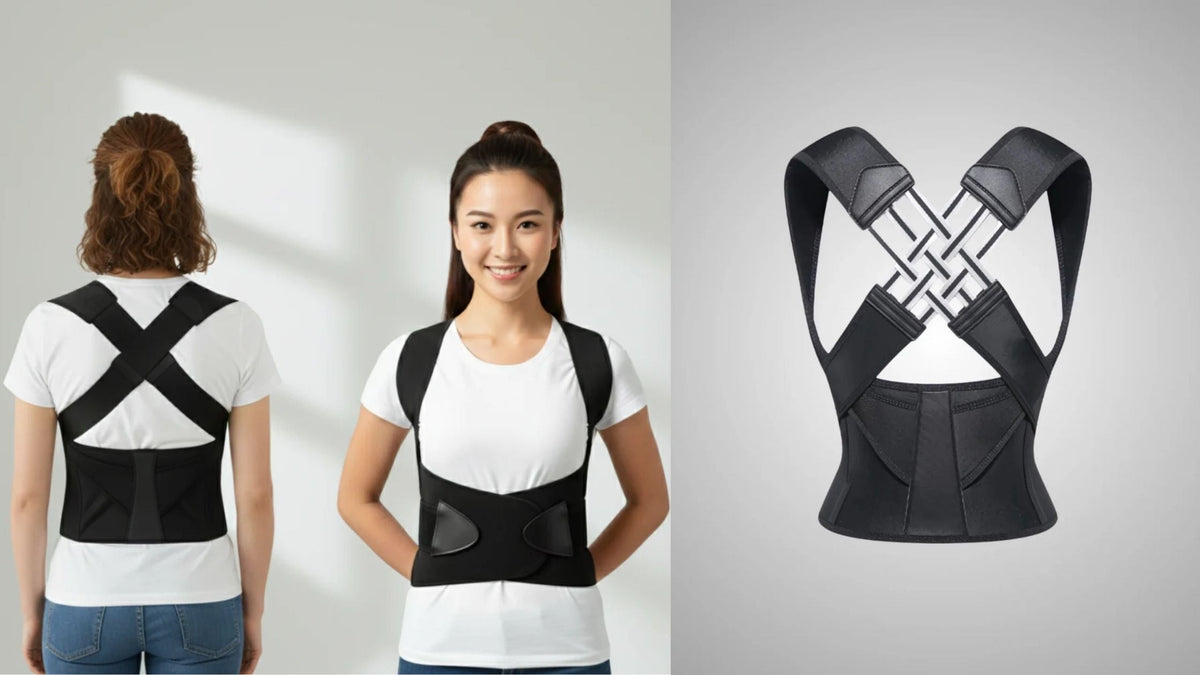
For short periods of additional posture awareness, an adjustable posture corrector may be useful for some people, but it should complement a sensible workspace rather than replace it.
Frequently Asked Questions
Can I work from home without an office chair?
Yes. WFH without an office chair can be practical if your existing chair places you at a suitable height and provides enough stability. Dining chairs are often one of the easiest alternatives to adapt with seat support, foot support, or simple changes to your desk arrangement.
What are the best work from home chair alternatives?
A stable dining chair is usually one of the better work from home chair alternatives. Kitchen chairs and folding chairs can also work if the height suits your desk. Sofas and stools are better used for shorter periods because they are generally harder to configure for prolonged computer work.
How can I create an ergonomic work from home setup cheaply?
Start by adjusting what you already own. Support your feet, position your keyboard close to your body, raise your laptop if necessary, keep the screen directly in front of you, and improve seat support if your existing chair is uncomfortable. These changes can matter more than adding lots of expensive accessories.
Is working from the sofa bad for posture?
Occasional sofa work is different from spending an entire working day there. Typical working from sofa posture involves a low laptop screen, a deep seat, and limited stable support. If you work from the sofa, support your back, use a stable laptop surface, and change positions regularly.
Can I put a seat cushion on a dining chair?
Yes, provided the cushion fits securely and does not make you sit too high relative to the table. After adding one, recheck your foot support, keyboard height, and screen position.
Should I buy a chair or improve my current setup?
If you only work from home occasionally, improving an existing stable chair may be enough. If you work remotely every day and your current furniture cannot be adjusted into a comfortable position, investing in an adjustable office chair may make more sense long term.
Final Thoughts
You do not need a picture-perfect home office to create a comfortable working environment.
For many people, WFH without an office chair simply means making smarter use of the furniture already available. A stable dining chair, properly positioned laptop, supported feet, comfortable seat surface, and regular movement can create a far better setup than working for hours from a sofa with a laptop on your knees.
Start with the problem rather than the product. If your screen is too low, raise it. If your chair is too hard, improve the seating surface. If your feet are unsupported, add a footrest. If you spend the entire day in one position, create more opportunities to move.
At Clessio, we focus on practical comfort and posture-support solutions that can fit into everyday routines without requiring a complete workspace redesign. For remote workers dealing with temporary chairs or multi-use spaces, small improvements can make a home setup much easier to live with.
The best ergonomic work-from-home setup is not necessarily the most expensive one. It is the setup that lets you work comfortably, move naturally, and finish the day without feeling as though your furniture has been fighting against you.


Leave a comment
This site is protected by hCaptcha and the hCaptcha Privacy Policy and Terms of Service apply.